One proxy. Your choice of models.
Connect Claude Code to Codex, Kimi, Grok, OpenCode Go, or Cursor. Sign in once, choose a model for each role, and keep your workspace and tools in Claude Code.
Start with DockerRun an isolated proxy with persistent credentials. Sign in and select models in your browser.Docker setup and updates →
Run on your machineInstall the Rust binary, connect your accounts, and use the same local setup interface.Native installation →
Your coding interface
Claude Code
Local bridge
claude-code-proxy
Chooses the provider from your model
Supported providers
CodexKimiGrokOpenCode GoCursor Agent
Why use it?
Section titled “Why use it?”- Keep the Claude Code experience. Skills, tools, hooks, subagents, IDE integrations, and the terminal interface stay on the client side.
- Connect the accounts you use. Authenticate in the setup UI or CLI. Provider credentials stay with the proxy; OpenCode Go uses its subscription key.
- Choose each model role. Set Default, Opus, Sonnet, and Haiku independently. Verify a short request before starting your session.
- Use Claude Code normally. Tools and streaming are translated across providers; images and reasoning depend on the selected provider and model.
- See what is happening. The monitor TUI shows sessions, requests, errors, models, token use, and throughput. Structured logs and optional traffic captures support deeper diagnosis.
Watch the workflow
Section titled “Watch the workflow”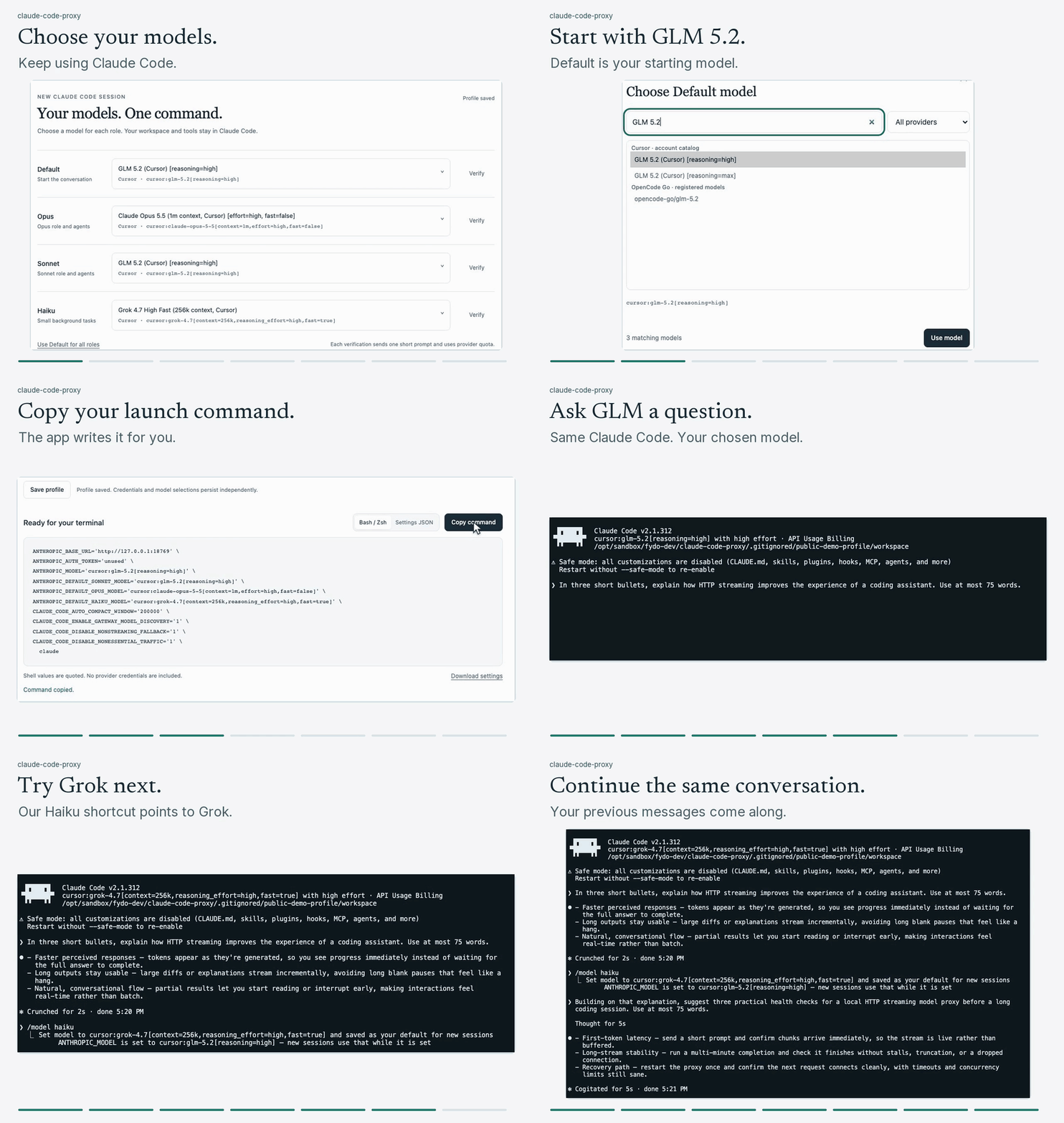
Next steps
Section titled “Next steps”Follow Getting started, open the local setup guide, compare the supported providers, or read how requests flow.